Deni was supposed to be just for my dad.
How a reminder for one person became a free app for anyone, from a prototype to the App Store in under four weeks.
 Carl Macabales · · 5 min read
Why it exists
Morning
My dad started taking maintenance meds at an early age, and my mom is the one who keeps him on track. Deni was supposed to be just for him, something I’d never share.
Then I realized a lot of people have the same problem, not just my dad, and not everyone has someone like my mom. So I decided to put it out there, and let Deni be that reminder for anyone who needs it.
Not everyone has someone like my mom.
It works for maintenance meds, and for daily vitamins and supplements too: anything you take on a schedule.
Healthcare here in the Philippines is hard enough already, so Deni is free. No subscriptions and no paywalls. You download it and start: no sign-up, no ads, no tracking.
Foil and sky
Afternoon
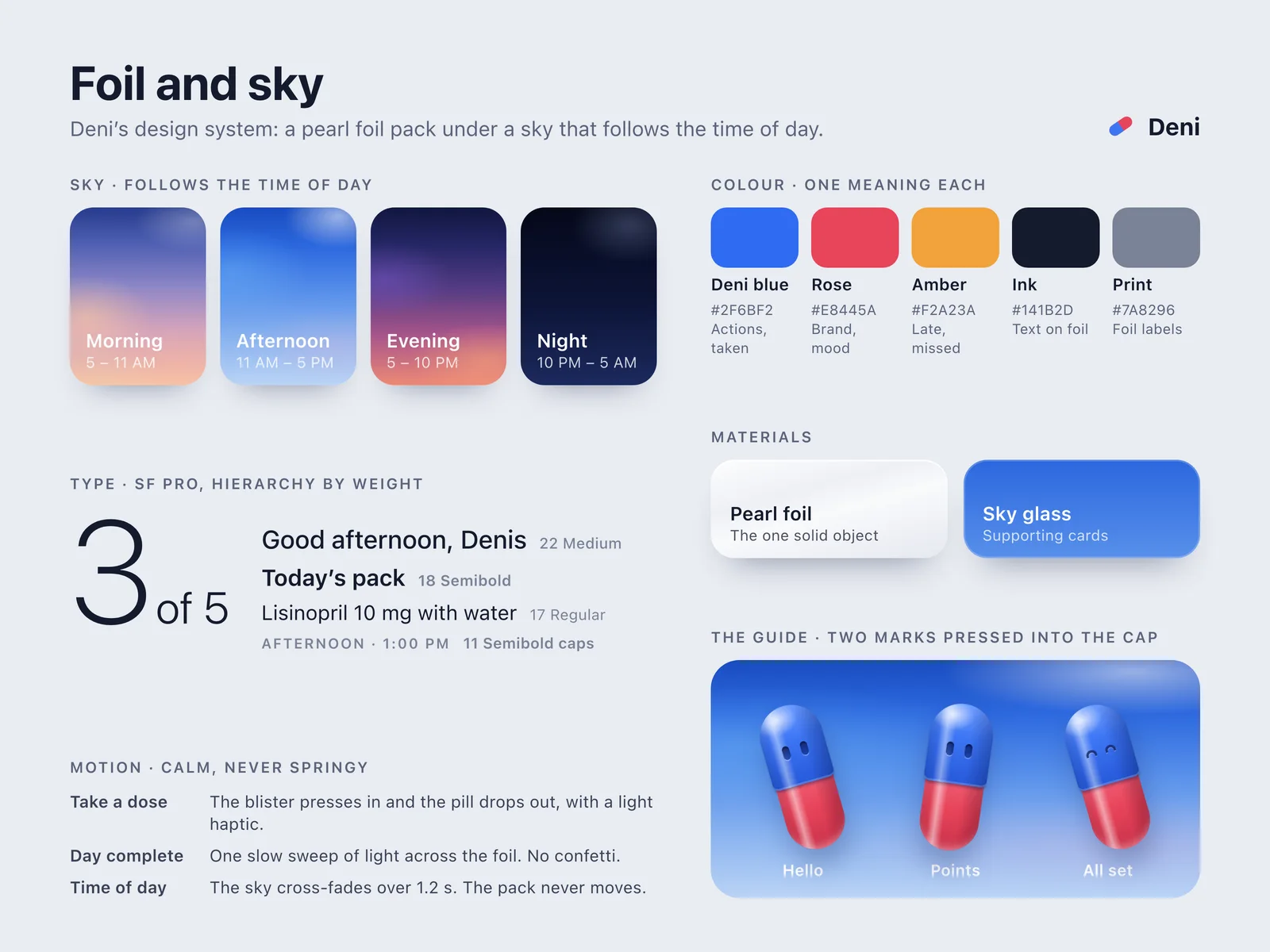
Before drawing anything, I read Apple’s design guidelines for health apps and looked at the medication apps already out there. I wanted Deni calm, professional and Apple-feeling, and not mistakable for any of them.
A few of Apple’s rules shaped everything after. Liquid Glass is for controls, not content. Rings belong to the Activity app, so Deni has none. And nothing should look like the Health app.
What came out of that is a design system I called Foil and sky: one solid object, a pearl foil pack, under a sky that follows the time of day.
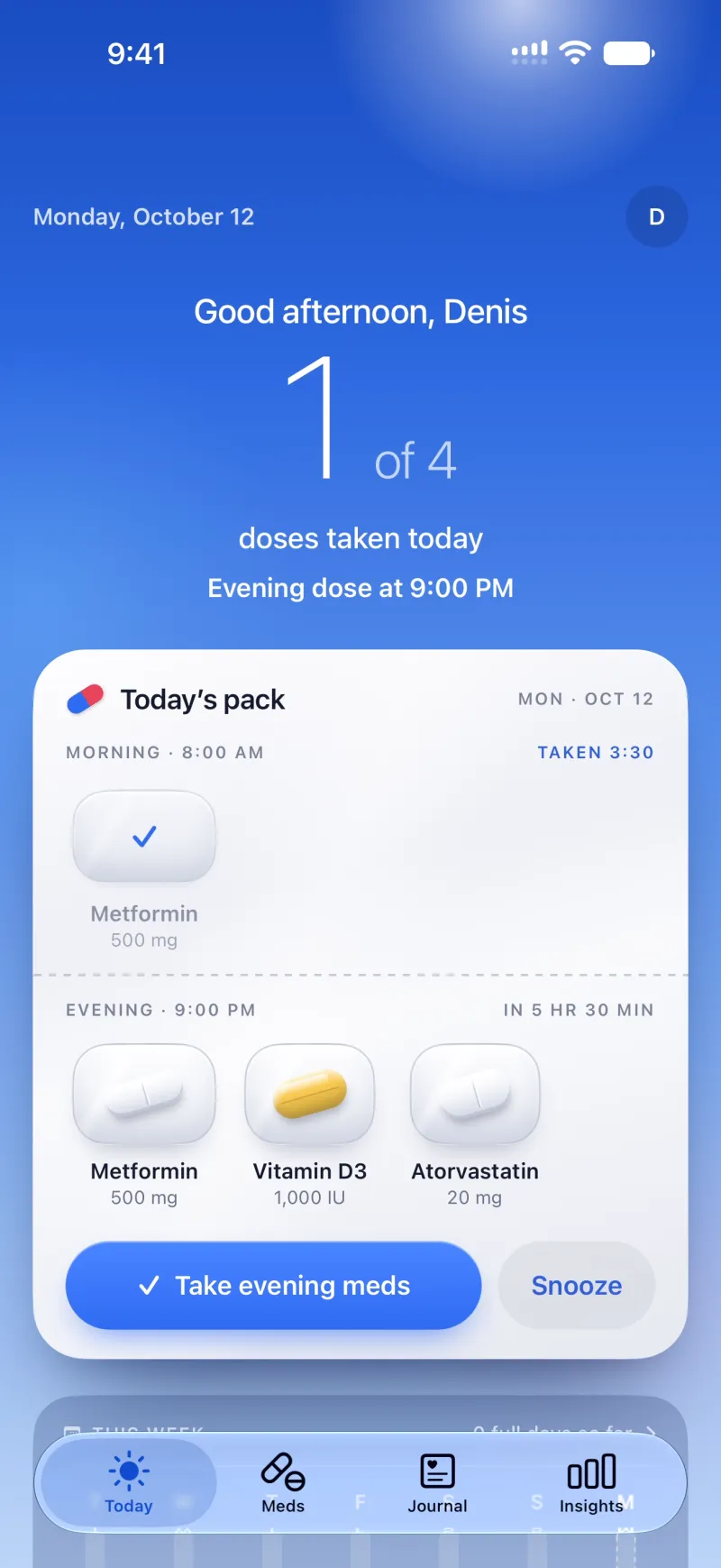
The pack holds every dose for the day, grouped by morning, afternoon and evening. You press the pill when you take it: the blister presses in and the pill drops out, with a light haptic.
Behind it, the sky changes with the hour, so a glance tells you where you are in the day. When the day is done, one slow sweep of light crosses the foil. No confetti.
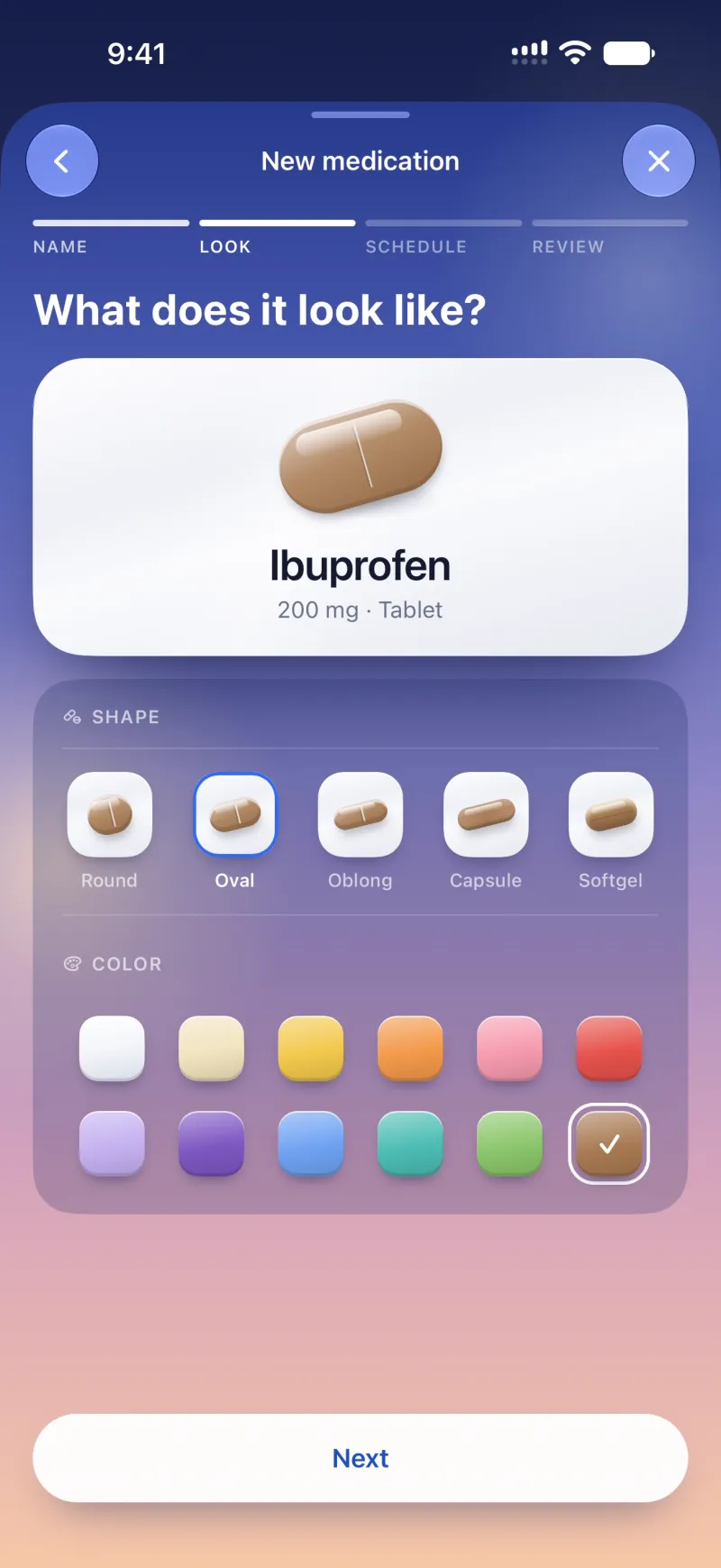
Adding a med works the same way. You pick its shape and colors, so the pill on the screen matches the one in your hand.
This page borrows the same materials. The contents beside the story is a pack, and each chapter you finish presses its blister in.
Everything stays on the phone
Evening
I built a prototype first, in Expo, to get the screens into my hands. Today, adding a med, the journal, Insights and the doctor’s report took the first two days.
Then I rebuilt it for real, starting from the data. Deni keeps everything on your iPhone, in a SQLite database. There’s no account and no server, and the data layer makes no network calls.
The database stores only facts, like when a dose was taken. Everything else is worked out from those facts by small pure functions: whether a dose is due, late or missed, how many pills are left, what goes in the week’s report. Each of those functions has tests, and the database code is tested against a real SQLite database.
Rules I settled before building a screen
- A dose is Late until midnight. After that, it’s Missed.
- Skipping isn’t missing, and it uses no supply.
- Deleting a med stops it. Its past doses stay in History.
- Change a time of day, and past days keep the time they had.
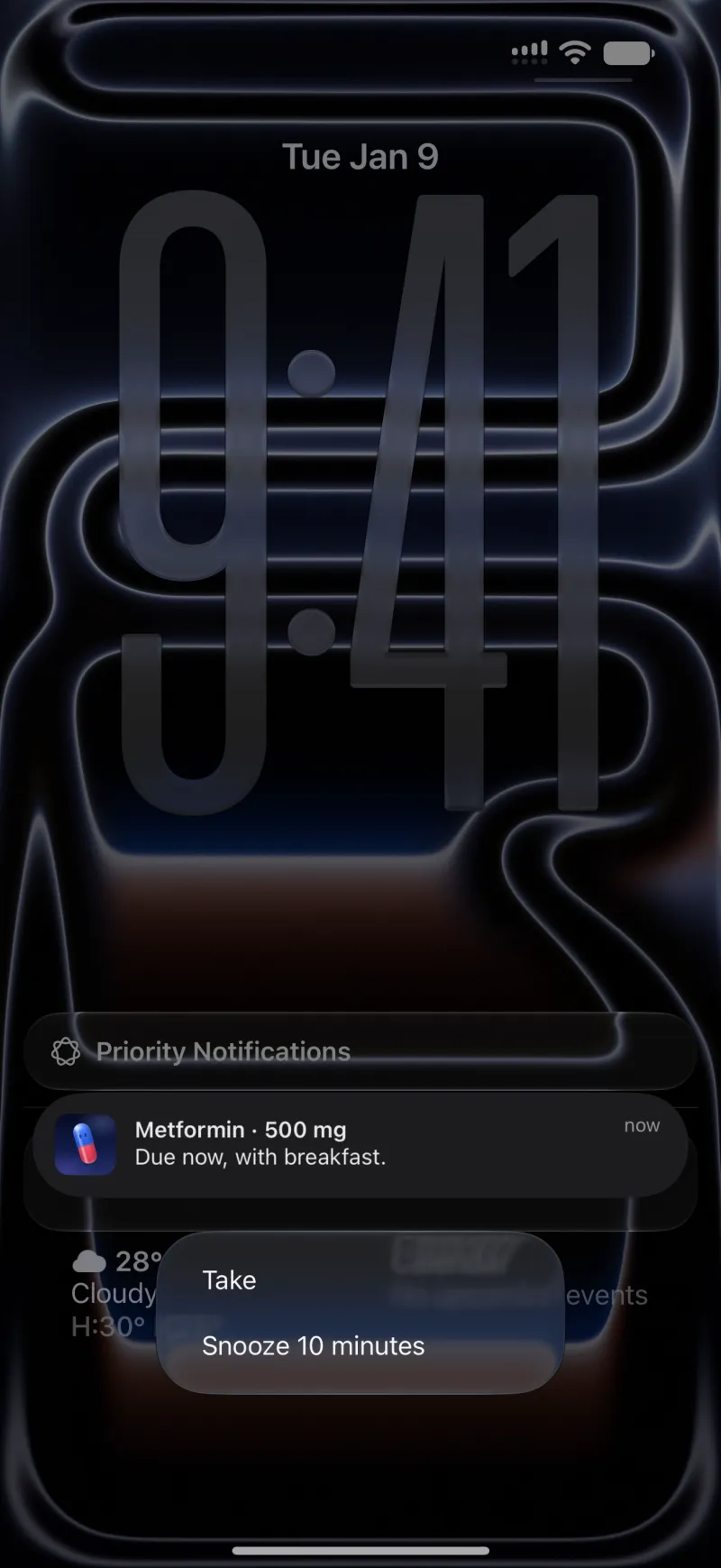
Reminders follow the same idea. There’s one for each time of day, it skips anything you’ve already taken, and a follow-up comes 30 minutes later if a dose is still open. From the lock screen you can take it, or snooze it for 10 minutes, without opening the app.
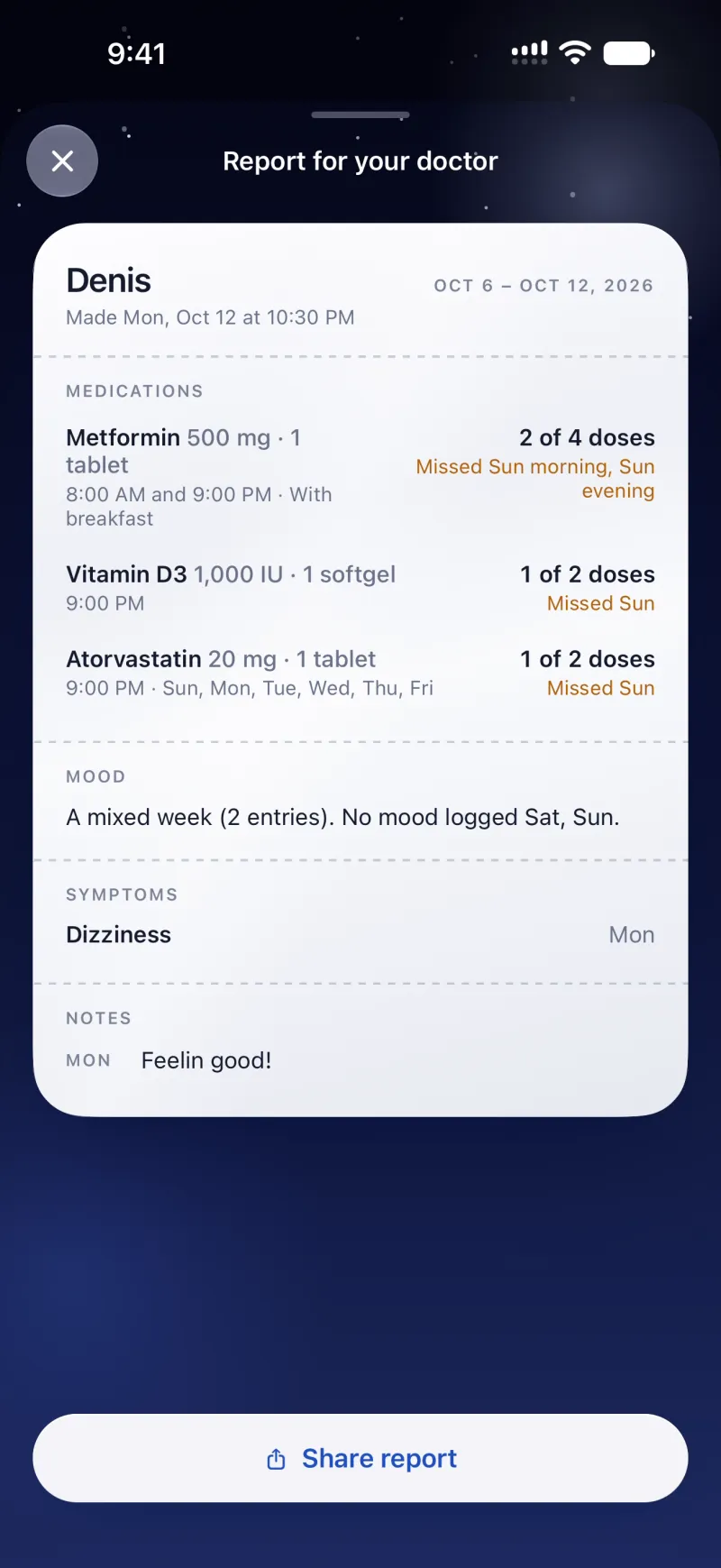
The week’s report is built from the same facts: a one-page PDF to share through Mail, Messages, AirDrop or Files, or to print for your doctor.
Every feature went the same way: a short design doc, a plan, boards to look at, then the build.
- Prototype
- TestFlight
- App Store
Shipping it
Night
On October 11, Deni went to TestFlight, built on Expo’s servers and installed on my own iPhone.
Getting ready for App Store review was its own project: privacy answers, accessibility, an age rating, screenshots, a support page and a privacy policy.
I also made a film for the launch: a day with Deni, from the morning pack to the report for your doctor, cut from recordings of the real app.
Deni came out on the App Store on October 28. Version 1.1 is ready: widgets with Take right on your Home Screen, a daily water goal, and 30 languages, Arabic included.
What’s next:
- Android support.
- Optional accounts, so your meds and journal sync across your devices and stay backed up.
- Family sharing, so someone like my mom can check in and get a heads-up when a dose is missed.
- Sending your weekly report straight to your doctor.
If Deni helps even a few people stay on top of their meds, that’s worth it.